
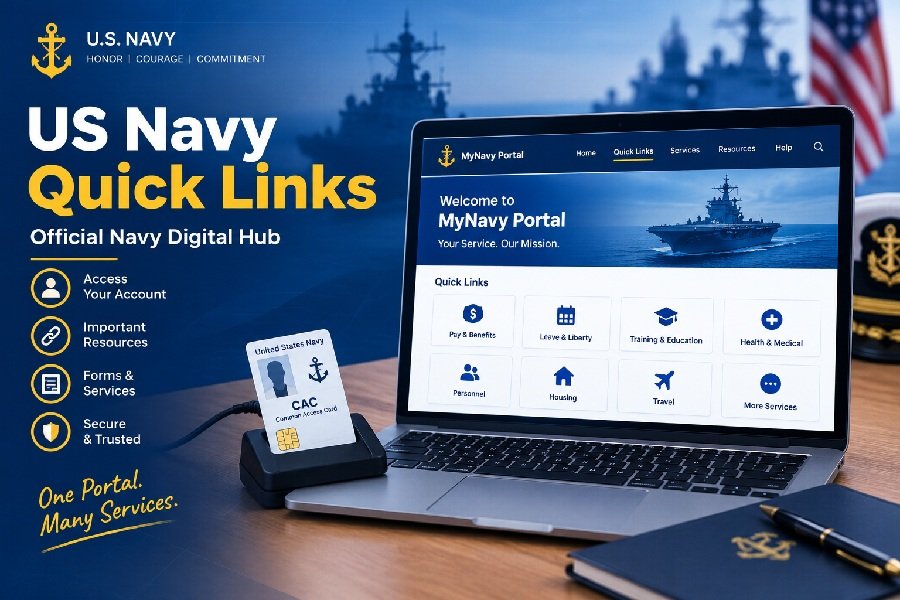
If you serve in the U.S. Navy—or you’re a family member supporting someone who does—you’ve probably heard the phrase “check the portal” more times than you can count. But finding the right website for pay, records, or career info can feel like searching for a needle in a haystack. That’s where US Navy Quick Links come in.
These quick links are simply shortcuts to official Navy and Department of Defense websites. Instead of hunting through search engines or bookmarking a dozen different pages, you can use a central hub to jump straight to the tool you need. The most reliable starting point is the MyNavy Portal (MNP), which organizes hundreds of links by topic, career event, and keyword.
Below, we’ll walk through the most important official resources, explain what they’re used for, and show you how to sign in safely. We’ll also cover common login problems and answer a few frequently asked questions.
What Are US Navy Quick Links?
US Navy Quick Links are curated links to official Navy websites and systems. They are designed to save time and reduce confusion. Rather than remembering whether your pay info is on a DFAS site or a Navy site, or where to view your military record, the quick links page puts everything in one place.
The modern version of this feature is built into MyNavy Portal. Once you log in, you’ll see a searchable list of links organized by categories like “MyRecord,” “MyPay,” and “MyCareer”. Some links are public, meaning anyone can view them. Others require a Common Access Card (CAC) or a verified username and password because they contain personal or sensitive information.
The Main Hub: MyNavy Portal
MyNavy Portal (MNP) is the Navy’s central online gateway for human resources services. Think of it as the front door to your career and personnel information. The portal is accessible at https://my.navy.mil/.
MNP integrates many separate Navy systems into one dashboard. When you log in, you get a personalized “Sailor Landing Page” that shows your data and tasks. Even without logging in, you can browse the public side of the portal to find links and general information.
How to Find Quick Links on MNP
Once on the MyNavy Portal site, look for the main menu or a “Quick Links” section. The improved Quick Links page includes hundreds of links and is fully searchable. You can search by keyword (like “LES” or “OMPF”) or browse featured links.
If you are not logged in, you can still search for Quick Links from the public site. The search results will clearly indicate which links require a CAC or login.
Essential Official Navy Links and What They Do
Here are the most commonly used official resources you’ll find through Navy Quick Links. All of these are genuine .mil or .gov websites.
MyPay (Pay and Entitlements)
Website: mypay.dfas.mil
MyPay is run by the Defense Finance and Accounting Service (DFAS), not the Navy directly, but it is the official system for military pay. You use it to:
- View and print your Leave and Earnings Statement (LES)
- Update your federal and state tax withholdings
- Change your bank account for direct deposit
- Manage allotments and Thrift Savings Plan (TSP) contributions
Your LES is especially important because it breaks down your basic pay, allowances, and deductions. It’s often needed for loans or benefits applications, so keeping it accessible is smart.
MyNavy HR (Personnel and Career)
Website: mynavyhr.navy.mil
This is the official website for Navy Personnel Command. It hosts a massive amount of information, including:
- Career management and detailing information
- Advancement and promotion details
- Uniform regulations and NAVADMINs
- Records management policies
If you need to understand a policy or find a form, this is the place to start.
Bupers Online (BOL) and OMPF
Website: bol.navy.mil
Bupers Online is where you access your Official Military Personnel File (OMPF) and other personnel records. Your OMPF contains documents that affect your career and benefits, including training, awards, evaluations, and assignments.
You should review your OMPF at least once a year and especially before major career events like reenlistment or promotion boards. Errors in your record can hurt your chances, so catching them early is important.
Navy Enterprise Service Desk (NESD)
Website: nesdnow.navy.mil
If you have an IT problem—can’t log in, a system is down, or you need a password reset—NESD is the single point of contact. It replaced the old NAVY311 helpdesk in 2024.
You can search for self-help articles, chat with a virtual agent, or submit a ticket. For urgent issues, you can call 1-833-NESDNOW (1-833-637-3669).
How to Sign In Safely
Most sensitive Navy systems require authentication. Here’s how to do it safely.
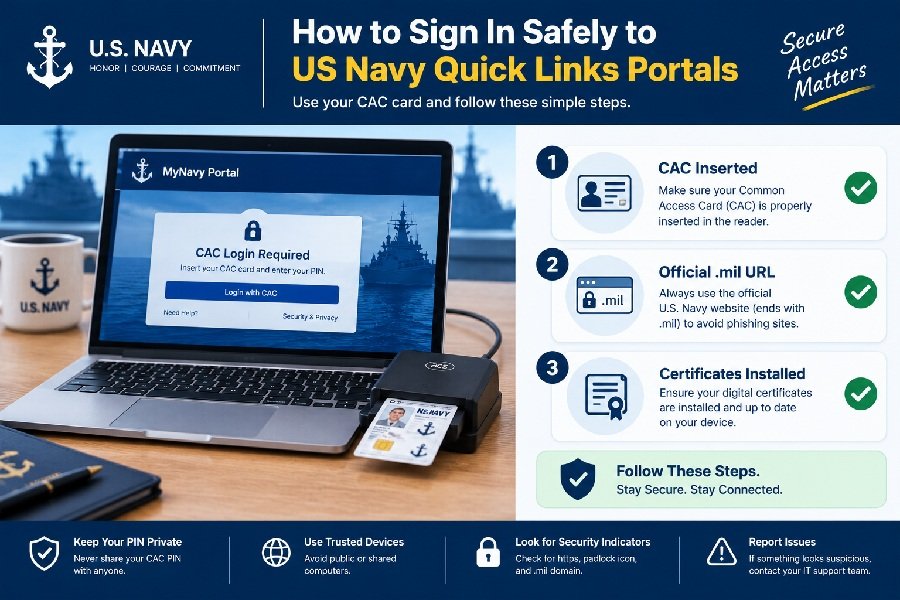
Use a CAC when required. Many official Navy portals require a Common Access Card and a card reader. This is a security feature, not a bug. If a site asks for your CAC, it means the information behind it is protected.
Set up CAC-free access for mobile use. MyNavy Portal offers a CAC-free access option for mobile devices. This uses multi-factor authentication to verify your identity without a physical card. You can set this up through the MNP login help section.
Never share your password. Navy IT systems will never ask for your password via email or phone. If you receive a message asking for login credentials, treat it as a phishing attempt and report it.
Check the URL. Official Navy sites end in .navy.mil or .mil. DFAS uses .mil or .gov. If you land on a .com site asking for your CAC or password, close it immediately.
Troubleshooting Login Problems
Even with the right links, logging in can sometimes fail. Here are common issues and what to do.
Problem: Your CAC isn’t recognized.
Make sure your card reader is plugged in and your CAC certificates are installed correctly. Try a different USB port or a different browser. If you’re on a personal computer, you may need to install the DoD certificates.
Problem: You forgot your MyPay PIN.
MyPay allows you to request a new PIN. Active duty Navy personnel may need to fax a request with identification to DFAS. The “Need New PIN” option on the MyPay login page will guide you.
Problem: You can’t access a link from Quick Links.
Look for the “CAC Login Required” icon next to the link. If you don’t have a CAC reader, you can’t access that specific system. Try using a government computer or set up CAC-free access if available.
Problem: The system is down.
If a site won’t load at all, check NESD for outage notices. You can also contact NESD at the number above. For pay-specific issues that aren’t technical, contact your Command Pay and Personnel Administrator (CPPA) or the MyNavy Career Center at 1-833-330-6622.
Frequently Asked Questions
1. What are US Navy Quick Links?
They are shortcuts to official Navy and DoD websites, usually found on MyNavy Portal. They help sailors and families find pay, records, career, and training tools without searching for each website individually.
2. Do I need a CAC to use Navy Quick Links?
Not always. Many links on MyNavy Portal are public and don’t require a CAC. However, links to personal information—like MyPay, BOL, or your OMPF—do require authentication. The portal marks which links need a login.
3. Where do I find my Leave and Earnings Statement (LES)?
Your LES is on MyPay at mypay.dfas.mil. It is the official source for your pay information. You can view, download, and print it once you log in.
4. How do I check my military personnel record?
Your Official Military Personnel File (OMPF) is accessible through Bupers Online (BOL) at bol.navy.mil. You can also find the link through MyNavy Portal Quick Links. You’ll need a CAC to log in.
5. What is the difference between MyNavy Portal and MyNavy HR?
MyNavy Portal is the central gateway that links to many systems, including MyNavy HR. MyNavy HR (mynavyhr.navy.mil) is the official website for Navy Personnel Command and hosts policies, career information, and records management resources.
Conclusion
US Navy Quick Links exist to make your life easier. Instead of guessing which website holds your pay record or your personnel file, you can start at MyNavy Portal and follow the official links from there. The key systems to remember are MyPay for pay, Bupers Online for records, MyNavy HR for policy and career information, and NESD for technical help.
Always verify that you are on an official .mil or .gov site before entering any credentials. If you get stuck, NESD and the MyNavy Career Center are there to help. Bookmark the pages you use most, and check your records regularly—it’s one of the simplest ways to stay in control of your Navy career.