
Introduction
You have been added to a group text. Your phone will not stop buzzing. You never wanted to be part of this conversation, and you just want out. But when you open the chat, there is no “leave” button anywhere.
This is not your fault. Group texting works differently depending on your device and the type of message being sent. On iPhone, you can leave with one tap — but only if certain conditions are met. On Android, it is much more complicated, and in many cases, you cannot truly leave at all. You can only mute or delete the conversation.
To make things worse, some group texts are cross-platform, which means iPhone and Android users are mixed together. This creates even more confusion.
This article will explain in simple language how to get out of a group text on iPhone, Android, and Samsung phones. You will also learn what to do when leaving is not an option, and whether other people can see that you left.
What Does It Mean to Leave a Group Text?
Leaving a group text means you stop receiving messages from that group and you are no longer a member. But technically, whether you can truly “leave” depends on your device and the type of messaging service being used.
On iPhone, if everyone in the group is using iMessage (Apple’s messaging service), you can officially leave. But if even one person is using an Android phone, the group becomes a regular SMS/MMS group, and you cannot leave it.
On Android, the situation is more complex. If it is an RCS group (the newer messaging standard), you can leave in Google Messages. But if it is a traditional SMS/MMS group, you cannot truly leave. You can only delete the conversation or mute notifications.
How to Get Out of a Group Text on iPhone
Leaving a group text on iPhone is very simple, but there is one condition: the group must have at least 4 participants, and everyone must be using an Apple device (iMessage).
Steps to Leave
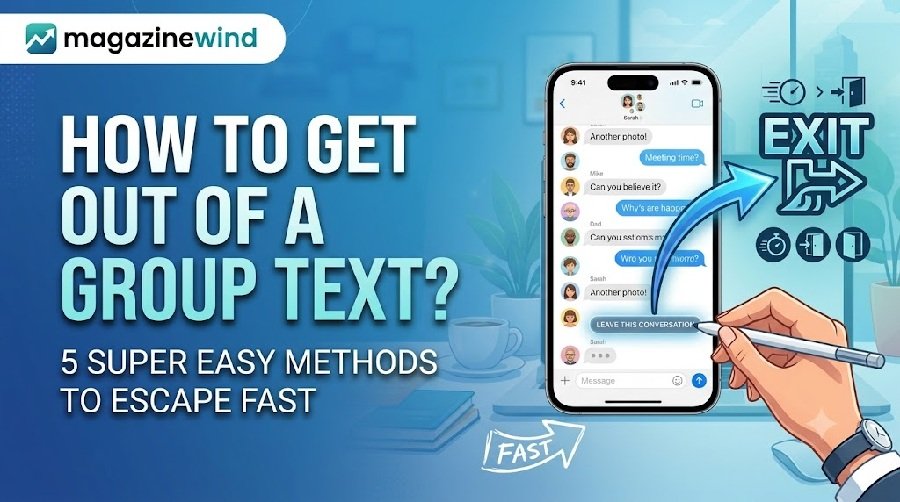
- Open the Messages app and tap the group conversation you want to leave.
- Tap the group icon at the top of the conversation (it shows the members’ names or photos).
- Scroll down and find the “Leave this Conversation” option.
- Tap it, then confirm by tapping “Leave.”
If you are using iOS 14 or an earlier version, you need to tap the “Info” button (an “i” icon) first, and then you will see “Leave this Conversation.”
What If You Do Not See “Leave this Conversation”?
This means you do not meet the requirements to leave. Possible reasons include: the group only has 3 people, or someone is not using iMessage. In this case, you cannot leave, but you can turn on “Hide Alerts” to mute notifications.
How to Leave a Group Text on Android
On Android, the process depends on which type of message you are using. If it is an RCS group in Google Messages, you can leave. If it is a regular SMS/MMS group, you can only delete the conversation or mute it.
Method 1: Leave an RCS Group in Google Messages
- Open the Google Messages app.
- Go to the group conversation you want to leave.
- Tap the conversation name or the participants’ names to open “Group Details.”
- Find and tap “Leave Group.”
- Confirm the action.
Method 2: Delete an SMS/MMS Group Conversation
If you are using a traditional SMS group, there is no “Leave Group” option. You can only delete the entire conversation.
- Open the group conversation.
- Tap the three dots in the top right corner (menu).
- Select “Delete.”
- Confirm by tapping “Delete” again.
Important: Deleting a conversation is not the same as leaving the group. If someone replies, the conversation may reappear in your message list.
Method 3: Report the Group as Spam
If the group text is from strangers or spammers, you can report it directly.
- Open the group conversation.
- Tap the three dots in the top right corner.
- Select “Group Details.”
- Tap “Report Spam.”
This will block the sender and stop them from sending you more messages.
How to Leave a Group Text on Samsung Phones
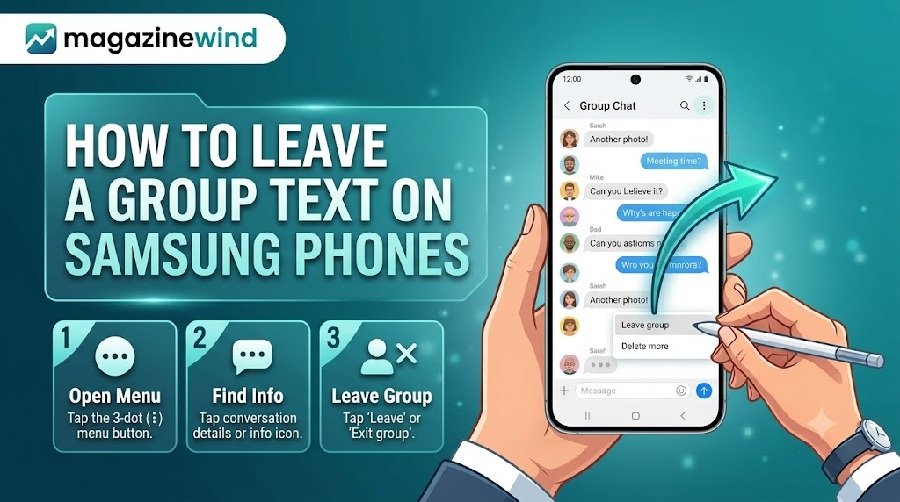
Samsung phones usually come with the “Samsung Messages” app instead of Google Messages. In Samsung Messages, you cannot leave a group conversation on your own.
Samsung’s official support page clearly states: “You cannot remove yourself from a group chat created by others; you can only delete the chat or mute notifications.”
What You Can Do:
- Mute notifications: Open the group conversation, tap the group name, find notification settings, and turn off alerts.
- Delete the conversation: Long-press the conversation and select delete. But this only removes it from your phone. You are still in the group.
If you want to truly leave, consider switching to Google Messages as your default messaging app. This will give you access to RCS group leave features.
What If You Cannot Leave a Group Text?
If you cannot leave due to device limitations or the type of group, there are still ways to reduce the annoyance.
Mute Notifications
On iPhone:
- Open the group conversation.
- Tap the group icon at the top.
- Turn on “Hide Alerts.”
You can also swipe left on the group conversation in the message list and tap the “Alerts” button to mute it.
On Android:
- Open the group conversation.
- Tap the three dots in the top right, then select “Details” or “Group Details.”
- Tap “Notifications.”
- Select “Silent” or turn off “Show notifications.”
Politely Ask the Group Admin to Remove You
If the group was created by someone you know, the most direct approach is to privately message the admin and ask them to remove you. You can say: “Hey, could you please remove me from this group? Thanks!”
Block the Entire Conversation
If the group is from strangers or is harassing you, you can block it. On iPhone, you can choose “Delete and Block this Conversation.” On Android, reporting spam will automatically block the sender.
How to Mute or Silence Group Text Notifications
If you do not want to leave (or cannot leave), muting is the best compromise. You stay in the group, but you will not be disturbed.
iPhone Mute Steps
- Open the group conversation.
- Tap the group icon at the top.
- Turn on “Hide Alerts.”
Once enabled, a “Hide Alerts” icon will appear next to the conversation, and you will no longer receive notifications from that group.
Android Mute Steps
- Open the group conversation.
- Tap the three dots in the top right, then select “Details.”
- Tap “Notifications.”
- Select “Silent.”
This will stop the sound, but notifications may still appear in your notification bar. If you do not want to see them at all, turn off “Show notifications.”
How to Stop Receiving Unwanted Group Messages
If you keep receiving group texts from unknown numbers, it is likely spam. You need to take stronger action.
Report and Block
On Android:
- Open the conversation, tap the three dots > Group Details > Report Spam.
On iPhone:
- Open the conversation, tap the group icon at the top, then select “Delete and Block this Conversation.”
Do Not Reply
Replying to any message (even “STOP” or “LEAVE”) may confirm to the sender that your number is active, which can lead to more spam.
Can People See When You Leave a Group Text?
This depends on the platform.
On iPhone/iMessage: If you leave an iMessage group, other members will see a system message in the conversation saying “XXX left the conversation.” This is visible to everyone.
On WhatsApp: WhatsApp recently updated its feature so that when you leave a group, only the group admin gets notified. Other members will not see a system message. However, if someone specifically checks the “Former members” list in the group info page, they might still see your name, but this list usually disappears after 60 days.
On regular SMS groups: Since you cannot truly leave, there is no “leaving” to be seen. You just muted or deleted the conversation, and others will not know.
Frequently Asked Questions (5 FAQs)
1. Why do I not see the “Leave this Conversation” option on my iPhone?
The most common reason is that the group only has 3 people, or someone is not using iMessage (for example, an Android user). Apple requires the group to have at least 4 participants, all using Apple devices, to allow leaving.
2. What is the difference between deleting a group text and leaving a group?
Deleting only removes the conversation from your phone. You are still a member of the group and will still receive new messages. Leaving means you truly exit the group and stop receiving any messages.
3. Can I rejoin after leaving?
Yes. As long as someone adds you back to the group, you can rejoin.
4. After leaving a group on Android, can I still see old messages?
If you left through Google Messages, you can only see messages sent before you left. You will not receive new messages after leaving.
5. If the group only has 3 people, how can I leave?
On iPhone, you can add another Apple user to the group to make it 4 participants, and then the “Leave this Conversation” option will appear.
Conclusion
How hard it is to get out of a group text depends entirely on your device and the type of group. iPhone users can leave easily when iMessage conditions are met. Android users can leave in RCS groups, but in traditional SMS groups, they can only delete or mute. Samsung Messages users cannot leave on their own at all.
If you cannot leave, muting notifications is the most practical alternative. Politely asking the group admin to remove you is also an option. For spam groups, reporting and blocking is the best approach.
No matter which method you choose, remember: you do not have to stay in a group that makes you uncomfortable. Find the method that works for your device, and take action.